
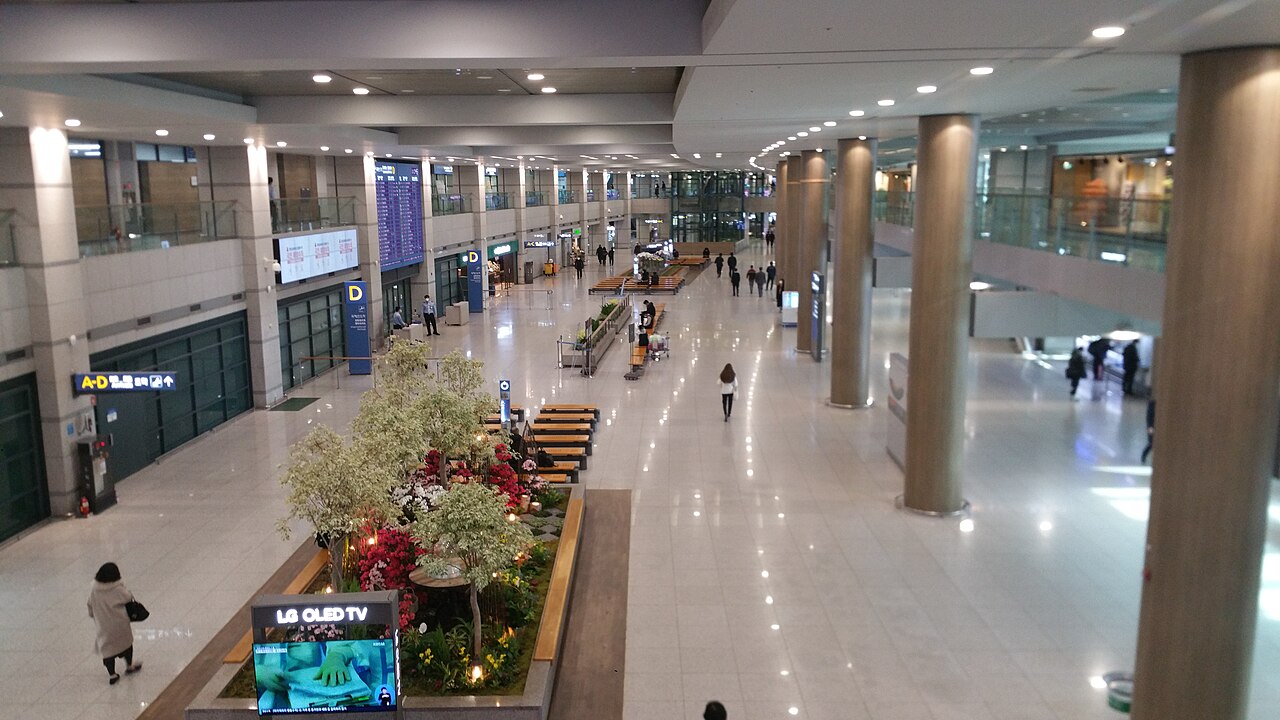

Stepping off the plane at Incheon International Airport (ICN) is an exhilarating experience. You have finally arrived in the land of K-pop, historic palaces, and incredible street food. However, as you make your way toward immigration, a crucial question arises: should you secure a Korean SIM card before you walk past the arrivals gate, or can it wait until you reach your hotel in Seoul? In a country as hyper-digitized as South Korea, being connected is not just a luxury—it is an absolute necessity for survival and navigation.
While South Korea boasts some of the fastest internet speeds in the world, accessing them as a foreign tourist requires a bit of planning. This comprehensive guide will walk you through why obtaining cellular data at Incheon Airport is highly recommended, the various connectivity options available to you, and how to get set up seamlessly so you can start exploring without a hitch.
- Highly Recommended: Getting connected before leaving Incheon Airport is essential for navigation (Naver Maps), transit, and communication.
- eSIM vs. Physical SIM: eSIMs can be activated instantly online before landing, while physical SIMs must be picked up at airport booths.
- Airport Pickup: Major Korean telecom providers (SK Telecom, KT, LGU+) have dedicated desks in the Arrivals Hall of both Terminal 1 and Terminal 2.
- Key Tip: Unlocked phones are mandatory for Korean SIMs. Ensure your carrier has unlocked your device before departure.
Why Instant Connectivity is Crucial in South Korea

South Korea is one of the most digitally integrated countries in the world. From ordering food at a kiosk to booking a taxi, almost everything is done through mobile applications. The moment you step outside Incheon Airport to board the Airport Railroad Express (AREX) or a limousine bus, you will need to navigate your way to your accommodation. Unlike in many Western countries, you cannot rely on Google Maps here. Due to national security regulations regarding mapping data, Google Maps does not provide accurate walking or driving directions in Korea.
Instead, you will need to download and use local navigation apps like Naver Map or KakaoMap. These apps require a stable internet connection to load real-time transit schedules, walking paths, and street views. Without data, finding your hotel in the winding, multi-layered streets of Myeongdong, Hongdae, or Gangnam can quickly become an overwhelming chore.
Furthermore, communication in Korea heavily relies on KakaoTalk, the nation’s primary messaging app. Whether you need to contact your Airbnb host, translate a restaurant menu using Google Translate, or look up emergency contact numbers, having immediate data access ensures peace of mind from the very start of your journey.
Comparing Your Options: eSIM, Physical SIM, and Pocket Wi-Fi
Before deciding where and how to get connected, you need to understand the three primary options available to international tourists. Each option has its own set of advantages and disadvantages depending on your travel style, budget, and device compatibility.
| Option | Pros | Cons | Best For |
|---|---|---|---|
| eSIM | No physical swap, instant activation, eco-friendly. | Requires eSIM-compatible phone; no Korean phone number (usually data-only). | Tech-savvy travelers with newer, unlocked smartphones. |
| Physical SIM | Reliable, widely compatible, option for voice calls/SMS. | Must physically swap cards; easy to lose original SIM. | Budget travelers, those needing a local phone number. |
| Pocket Wi-Fi (Egg) | Connects multiple devices, highly cost-effective for groups. | Must be recharged daily, must be returned to the airport. | Families, groups, or travelers with multiple laptops/tablets. |
Why eSIM is the Modern Choice
If you have a newer smartphone, an eSIM (embedded SIM) is highly recommended. You can purchase and install it online before you even board your flight. The moment your plane touches down at Incheon Airport, you simply toggle on your secondary data line in your phone settings, and you are connected instantly. This allows you to bypass the airport service queues entirely and head straight for immigration and transit.
The Benefits of a Physical SIM Card
For those with older devices or those who prefer a traditional setup, physical SIM cards remain incredibly popular. A major benefit of choosing a physical tourist SIM is that they often come with the option to include a local Korean phone number (starting with 010). While data-only plans are cheaper, having a local number is highly beneficial if you plan to use local taxi-hailing apps like Kakao T or want to join digital waitlists at popular restaurants in Seoul.
Step-by-Step Guide: Buying or Picking Up at Incheon Airport
If you decide to pick up a physical SIM or Pocket Wi-Fi router, Incheon International Airport (ICN) makes the process incredibly straightforward. Both Terminal 1 and Terminal 2 feature prominent desks for South Korea’s “Big Three” telecommunications providers: SK Telecom, KT (Korea Telecom), and LG Uplus (LGU+).
Where to Find the Telecom Desks
In Terminal 1, the desks are located in the Arrivals Hall (1st Floor) near Exit 6 to 10. They are open 24 hours a day, so even if you land on a late-night flight, you will be able to secure connectivity. In Terminal 2, the desks are located on the 1st Floor Arrivals Hall near Exit 2 and 3.
What You Need to Bring
To collect your pre-booked SIM or purchase one on the spot, you must present your physical passport. South Korean law requires all mobile lines to be registered with a valid ID. Additionally, ensure you have a credit card or cash (Korean Won) for payment if you did not pre-order.
Pro Tips for Tourists
- Pre-book Online for Discounts: Booking your SIM card or Pocket Wi-Fi online via platforms like Klook, Trazy, or directly through the telecom provider’s website can save you up to 30% compared to buying on-site.
- Check Device Compatibility: Ensure your phone supports the LTE bands used in South Korea (primarily Band 1, 3, 5, 7, and 8). Most modern smartphones are fully compatible.
- Keep Your Original SIM Safe: If you use a physical SIM, tape your home country’s SIM card to a piece of paper or put it inside your passport holder so you do not lose it during your travels.
- Get a SIM with a T-Money Option: Some tourist SIM cards come integrated with a T-Money chip, allowing you to use the physical SIM card as a transportation card for subways, buses, and taxis.
Frequently Asked Questions
Can I buy a SIM card outside the airport?
Yes, you can buy SIM cards at major convenience stores like CU, GS25, and 7-Eleven throughout Seoul. However, the registration process can be more complex without English-speaking staff, and you won’t have internet access to navigate to your hotel initially.
Is public Wi-Fi reliable enough to skip buying a SIM?
While Seoul has excellent public Wi-Fi in subways and cafes, many networks require a local phone number for verification. Furthermore, relying solely on public Wi-Fi leaves you disconnected while walking on the streets, making real-time navigation impossible.
Do I need a Korean phone number to order food delivery or hail a taxi?
Yes, popular local apps like Kakao T (for taxis) and Baemin (for food delivery) often require a Korean phone number (starting with 010) that can receive verification SMS codes. If you plan to use these services heavily, purchase a SIM card that includes voice/SMS capabilities rather than a data-only plan.