
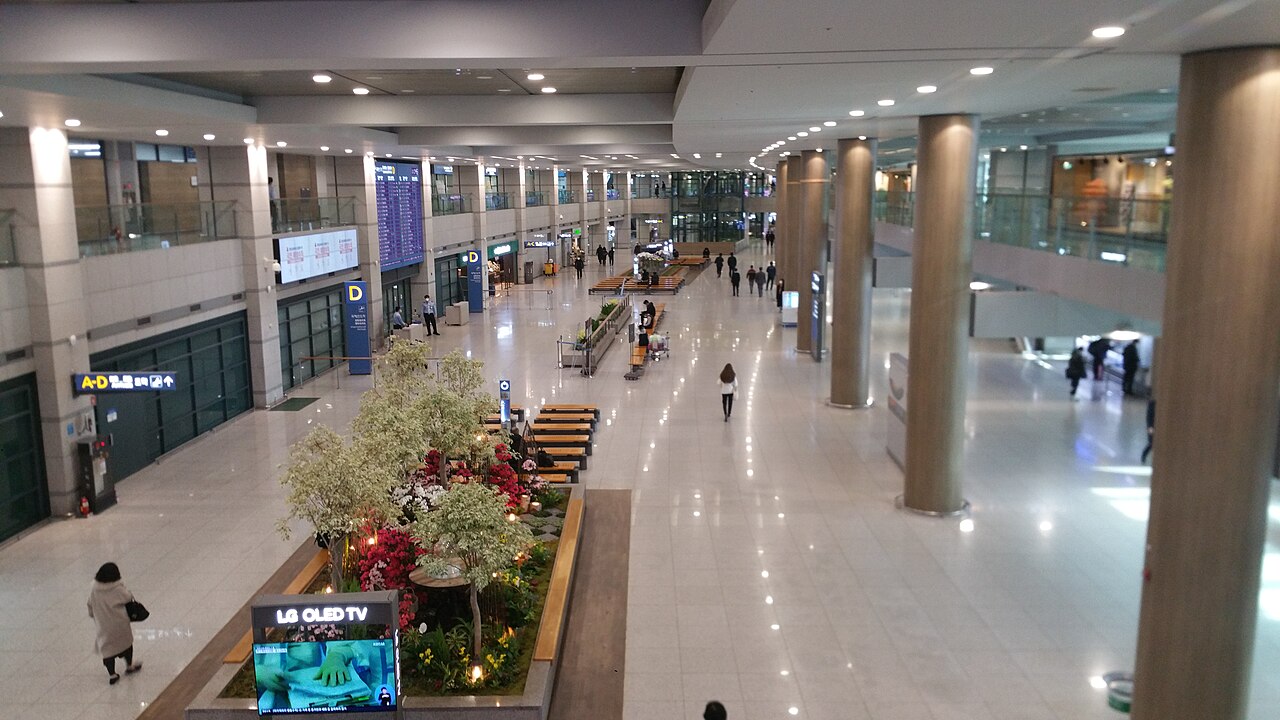

Stepping off the plane at Incheon International Airport (ICN) is an exciting moment. You have finally arrived in South Korea, a land of ultra-fast internet and digital convenience. But as you step into the arrivals hall, reality sets in: you need to find your hotel, navigate the subway system, and contact loved ones. In Korea, having reliable mobile data is not just a luxury—it is an absolute necessity for smooth travel.
Many travelers wonder if they should buy a SIM card before leaving the airport, or wait until they reach downtown Seoul. While Seoul has public Wi-Fi, relying solely on it can leave you stranded when you need maps or translation help. Getting connected at Incheon Airport ensures a stress-free start to your journey.
- Is it necessary? Yes. Secure a connection at Incheon Airport to navigate transit and use essential local apps immediately.
- Best Option: eSIM is highly recommended for its convenience, requiring no physical pickup if your phone is compatible.
- Physical SIMs & Wi-Fi: Easily collected at designated carrier booths in Terminal 1 and Terminal 2 arrivals halls.
- Pro Tip: Pre-book online in advance to secure discounts up to 30% compared to airport walk-up rates.
Why Immediate Mobile Data Matters in South Korea

South Korea is incredibly digitalized, meaning daily travel depends heavily on localized apps. For instance, Google Maps does not function properly here due to government security regulations. Instead, you must use Naver Map or KakaoMap to navigate walking routes, buses, and subways. Without mobile data immediately after landing, finding your way to the Airport Railroad Express (AREX) or airport buses can be challenging.
Additionally, translating signs or menus requires apps like Papago, and hailing a taxi requires Kakao T, which needs an internet connection. Having a working SIM card or eSIM as soon as you clear customs eliminates these common travel hurdles, allowing you to travel confidently from your very first hour.
Your Connectivity Options at Incheon Airport
When planning your mobile connectivity, you have three main options: a physical prepaid tourist SIM, an eSIM, or a portable Pocket Wi-Fi router (often called a Wi-Fi Egg in Korea). Each option suits different types of travelers.
1. Prepaid Physical SIM Cards
Physical SIM cards are reliable and compatible with almost all unlocked phones. Major Korean telecom companies like KT, SK Telecom, and LG U+ offer prepaid SIM cards designed for tourists. These plans feature unlimited data for durations ranging from 1 to 30 days. Some packages also include voice call and SMS options, which are helpful for restaurant reservations or emergency contacts.
2. eSIM (Embedded SIM)
For compatible modern smartphones, eSIM is the ultimate choice. You buy it online before your trip, scan a QR code sent to your email, and activate it once you touch down. There is no need to visit a physical booth or swap physical cards, allowing you to keep your home SIM active to receive important bank verification messages via SMS.
3. Portable Pocket Wi-Fi (Wi-Fi Egg)
A Pocket Wi-Fi router is a small device that broadcasts a secure Wi-Fi signal. It is perfect for groups, families, or travelers carrying multiple devices like laptops and tablets. The main drawback is that you must keep it charged and carry it everywhere. You also need to return it to the airport booth before flying home, which adds an extra step to your departure day.
Comparing Your Connectivity Choices
To help you decide which option is best for your journey, here is a detailed breakdown comparing physical SIMs, eSIMs, and Pocket Wi-Fi routers:
| Feature | Physical SIM Card | eSIM | Pocket Wi-Fi (Egg) |
|---|---|---|---|
| Setup Convenience | Moderate (Requires physical swap and passport verification) | High (Instant digital download via email QR code) | Moderate (Requires pickup and return at airport) |
| Device Compatibility | Any unlocked smartphone | eSIM-compatible models only | Any device with Wi-Fi capability |
| Sharing Capability | Limited (Via mobile hotspot, drains battery) | Limited (Via mobile hotspot, drains battery) | Excellent (Connects up to 3-5 devices easily) |
| Average Cost | Moderate ($25 – $40 for 10-30 days) | Low to Moderate ($20 – $35 for 10-30 days) | Low for groups ($3 – $5 per day, split among users) |
Where to Pick Up Your SIM or Wi-Fi at Incheon Airport
If you choose a physical SIM or Pocket Wi-Fi, you will need to pick it up at the airport. Incheon International Airport is very tourist-friendly, with prominent telecom booths in both Terminal 1 (T1) and Terminal 2 (T2).
In Terminal 1, major carrier booths (KT, SKT, LG U+) are located in the Arrivals Hall on the 1st Floor, near Gates 6, 10, and 11. Several booths are open 24 hours a day, so late arrivals do not need to worry. In Terminal 2, the customer service counters are on the 1st Floor Arrivals Hall between Gates 2 and 3, and Gates 4 and 5. The staff speak excellent English and will help configure your device to ensure it works correctly before you leave the counter.
Pro Tips for Tourists
- Unlock Your Phone First: Contact your home carrier to make sure your smartphone is country-unlocked before you travel. Locked phones will not accept Korean SIM cards.
- Bring Your Passport: By Korean law, tourist SIM cards must be registered to a passport. Keep your physical passport accessible during pickup.
- Look for T-Money Bundles: Many tourist SIM cards come bundled with a physical T-Money card. This allows you to load money onto it at airport convenience stores and use it for public transit immediately.
- Pre-Book Online: Buying your SIM card in advance through authorized travel platforms like Klook or KKday can save you up to 30% compared to on-the-spot walk-up rates.
- Test Before You Leave: Always insert your physical SIM card and restart your phone while still at the airport booth. The staff can quickly troubleshoot any APN configuration errors.
Frequently Asked Questions
Can I buy a SIM card in South Korea without presenting my passport?
No, you cannot. South Korean telecommunications laws require real-name registration using a physical passport for all prepaid SIM cards. Digital copies are generally not accepted, so keep your physical passport handy.
Will my eSIM work immediately when I land at Incheon Airport?
Yes, as long as you scanned the QR code and completed the activation setup prior to departure. Once you land and turn off airplane mode, your phone will connect to the partner network automatically.
Can I make local phone calls with a Korean tourist SIM card?
Most tourist SIMs are data-only. However, many brands offer options to add voice credits for outgoing calls. If you need to make calls to restaurants or accommodations, select a plan that includes voice credits during your booking.